There is a full technical overview of this malware -> https://www.scribd.com/document/442225568/Saudi-Arabia-CNA-report, I wouldn't waste time fully repeating it, as it gives a brief and enough description of this malware key parameters and capabilities.
Usually I pay zero attention to typical APT hysterics and low quality malware pushed by mass media/various
This is believed shared code with another data wiper called "ZeroCleare" - and IBM did analysis with 28 page PDF where they managed to copy-paste from my github repository without even giving a single credit or link to original. Well, ok, fuck you too IBM IRIS rippers 💩
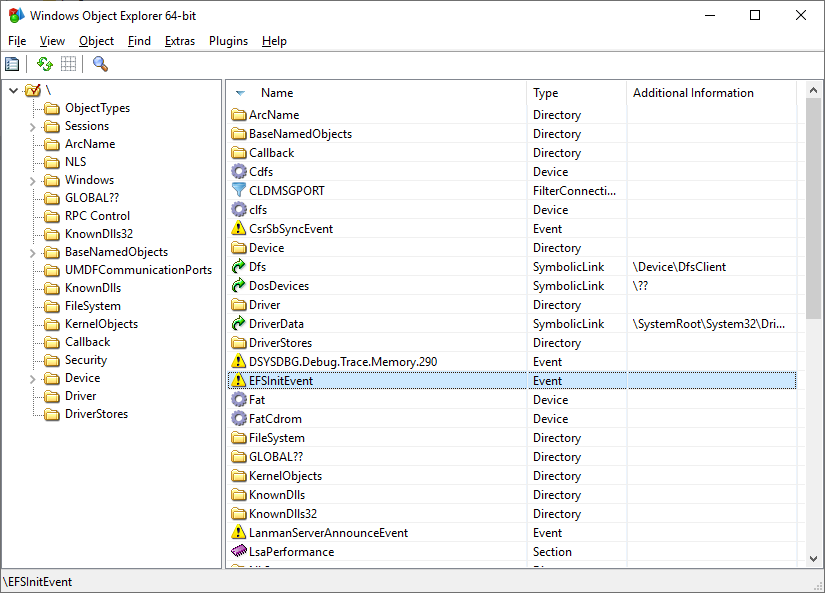
Why this thing called Dustman? Well authors of this malware were lazy and left full pdb string inside main dropper C:\Users\Admin\Desktop\Dustman\x64\Release\Dustman.pdb. This doesn't look like fake and left because Visual Studio (and this one created in it) always sets debug information to Release builds by default (Project settings->Linker->Debugging). It is something from series of small tips just like if you are wondering why some of rootkits pdb paths always at Z: drive - easy to use hotkey while debugging on VMware.
Dustman main executable is a muldrop (SHA-1 e3ae32ebe8465c7df1225a51234f13e8a44969cc).
It contain three more files stored inside executable resource section. They are encrypted with simple xor.
for (ULONG i = 0; i < (ResourceSize / sizeof(ULONG_PTR)); i++)
Buffer[i] ^= 0x7070707070707070;
Resource with id 1 (decrypted SHA-1 7c1b25518dee1e30b5a6eaa1ea8e4a3780c24d0c) is a VirtualBox driver. It is ripped by me from WinNT/Turla (another APT, this time "believed" to be from GRU GS AF RF, that one by the way also had some references/inspirations of my/our previous work). Dustman author(s) got it from my github repository called TDL - Turla Driver Loader (https://github.com/hfiref0x/TDL), well not only that driver, half of their work actually blatant copy-paste of this repository.
Resource with id 103 (decrypted SHA-1 a7133c316c534d1331c801bbcd3f4c62141013a1) is Eldos RawDisk modified driver (version 3.0.31.121). It is modified by Dustman authors by removing digital certificate from it. Currently I have no answer why they did this, except Eldos RawDisk certificate is widely blacklisted or detected by intrusion prevention systems/AV as possible sign of threat as it was used before multiple times in different malwares (https://attack.mitre.org/software/S0364/)
Resource with id 106 (decrypted SHA-1 20d61c337653392ea472352931820dc60c37b2bc) is malware agent application that is intended to work with Eldos RawDisk to perform data wipe. It contain pdb string C:\Users\Admin\Desktop\Dustman\Furutaka\drv\agent.plain.pdb which is giving you insides on VS solution structure. Furutaka is an internal name that I gave to TDL project executable.
Initial dropper is a modified version of original TDL (Furutaka) version 1.1.5, so it is relatively new, as this is final version in that repository before it was archived at April 2019. Just to show you how much Dustman authors copy-pasted, here is a screenshot of functions which I was able to identify in this malware (while rest of them are various trash from MS runtime).
 |
| Pic 1. Dustman dropper functions. |
At main (which is a heavily modified TDLMain from original TDL) right at the beginning Dustman attempts to block multiple copies from installing VirtualBox/mapping Eldos driver by setting mutex with a very specific name "Down With Bin Salman". I do not want to dig into politics and other bullshit but I would like to suggest in case if this is false flag operation (surprise, but we will never know this) use something more creative - like for example "Coded by Soleimani" or "(c) 2019 IRGC", "covfefe" is fine too. If I would doing APT of such kind I would at first refrain from creating such wrong and stupid mutexes or build their unique names based on current environment without using any idiotic constants. Another fun message hidden inside agent executable (dropper resource 106 as mentioned above) "Down With Saudi Kingdom Down With Bin Salman" - very creative (not). Eldos license key is hardcoded in agent executable as "b4b615c28ccd059cf8ed1abf1c71fe03c0354522990af63adf3c911e2287a4b906d47d".
Back to initial dropper, supQueryResourceData (https://github.com/hfiref0x/TDL/blob/master/Source/Furutaka/sup.c#L99) is modified by adding xor decryption loop mentioned above. Below is screenshot of TDLStartVulnerableDriver routine slightly modified by removing console output, code responsible for backup and new file name for dropped file.
 |
| Pic 2. TDLStartVulnerableDriver copy-paste. |
Original routine https://github.com/hfiref0x/TDL/blob/master/Source/Furutaka/main.c#L498
Assistant.sys here is VirtualBox driver which is loaded as shown on picture above. Have no idea why Dustman authors left VirtualBox USB/Network drivers unload code intact. In original TDL this is required to load driver on machine with VirtualBox installed and this is requirement because VBoxHardenedLoader is depends on this. However this is not required in APT and can be removed, but it seems Dustman author(s) had mediocre understanding of what they are doing. It is a little doubtful that target machines has VirtualBox running which can produce incompatibilities with TDL.
Our next stop is TDLMapDriver routine. In original TDL proof-of-concept it setups shellcode that next will be executed in kernel by VBoxDrv, maps input file, processes it imports and merges it with shellcode. Next VBoxDrv memory mapping executed and finally exploit called. In shellcode original TDL allocates memory for driver mapping using ExAllocatePoolWithTag routine with tag 'SldT' (Tdl Shellcode), processes image relocs, creates system thread (PsCreateSystemThread) with parameter set to driver entry. TDL mapped drivers must be specially designed as DriverEntry parameters in such way of loading will be invalid. Finally thread handle closed with ZwClose. Function pointers passed to shellcode through registers by small bootstrap code which is constructed in user mode. Dustman author(s) modified this loading scheme in the following way:
1) Encryption for module/function names, funny note that the following string used to decrypt strings in runtime "I'm 22 and looking for fulltime job!". Because this is copy-paste from open source and original TDL is very well detected by various
2) They remember ExAllocatePoolWithTag, PsCreateSystemThread and IoCreateDriver however they never use PsCreateSystemThread despite checking it resolving success and instead in their shellcode simple call IoCreateDriver with pointer to driver entry point as InitializationFunction param.
Since IoCreateDriver expects DriverName as pointer to UNICODE_STRING modified shellcode also contain "\Driver\elRawDsk" string stored as local array of bytes. IoCreateDriver will create driver object with specified name and pass it to the InitializationRoutine as parameter, exactly what Eldos RawDisk need at it driver entry. Thus original TDL limitation bypassed and mapping code can work with usual drivers. As result of successful exploitation Eldos RawDisk will be mapped to the kernel and it DriverEntry executed.
 |
| Pic 3. Eldos driver object as seen by WinObjEx64. |
Because driver was mapped without involving Windows loader it doesn't have corresponding entry in PsLoadedModulesList therefore WinObjEx64 shows it driver object major functions as belonging to unknown memory area which is always automatically suspicious and usually mean kernel mode malware activity. While Eldos RawDisk DriverEntry execution it creates a symbolic link to provide access for the applications. It also can be seen with WinObjEx64.
 |
| Pic 4. ElRawDisk symbolic link. |
A little about agent application, a little because as fact there is nothing interesting inside. It is built as typical C++ MS runtime based application full of ineffective code unrelated to main purpose - wipe data on disk. To do this agent calls Eldos RawDisk with mentioned above license. As data to fill it uses "Down With Saudi Kingdom Down With Bin Salman" string. If agent launched without elevation it will crash with error due to its code quality, state sponsored hackers do you remember?
 |
| Pic 5. Wipe in progress. |